1 in 4
U.S. adults lives with a disability. For many, an untagged PDF is a closed door.
CDC Disability and Health Data System

Remediate turns the PDFs you already publish into screen-reader-ready documents — with structured headings and tables, OCR for scans, translation and cited answers. Meet WCAG 2.1 AA for the ADA Title II deadlines without re-authoring the archive.
One script tag No re-authoring WCAG 2.1 AA & PDF/UA structure
Designed against the standards your compliance office already cites
01 Why it matters
Screen readers do not see the page. They read the structure inside it. When that structure is missing, a 39-page financial report collapses into a stream of fragments — no headings, no table relationships, no idea what the figures mean.
A PDF can be “tagged” and still announce every number without its column, or every figure without its caption. Remediate maps the document into a transcript that preserves the relationships a reader needs.
Under the DOJ’s ADA Title II rule, public entities must meet WCAG 2.1 AA for web content, including the documents published on their sites. Entities serving 50,000 people or more have until April 26, 2027; smaller entities and special districts have until April 26, 2028.
Most accessibility projects stall because remediating an archive by hand takes years. Remediate works with the files already on your site, and leaves the original PDF untouched for anyone who needs it.
Reading order lost. Context gone. The page is technically text, but practically silence.
Structure preserved. Every table cell keeps its column. Every figure explains itself.
Illustrative screen-reader output for the same page.
1 in 4
U.S. adults lives with a disability. For many, an untagged PDF is a closed door.
CDC Disability and Health Data System
Apr 26, 2027
Compliance date for public entities serving 50,000 people or more under the ADA Title II rule, extended a year by DOJ in April 2026.
DOJ interim final rule, 28 CFR Part 35
10 languages
Spanish, Chinese, Vietnamese, Arabic, French, Korean, Russian, German, Tagalog and Haitian Creole — in place.
Built into the viewer
02 How it works
Remediate sits between the files you publish and the people who need them. Nothing about your publishing workflow has to change.
Keep your CMS, your file names and your links. Remediate recognises the PDFs on the page and works from the originals.
Headings, reading order, tables, figures, form fields and footnotes become a semantic transcript that mirrors the source.
Alt text, table headers, language and callouts are visible in one place, so a reviewer can fix what automation cannot.
One script tag upgrades every PDF link on the page. The modal, deep links, keyboard support and screen reader announcements are handled.
03 What's inside
Everything a visitor needs to understand a document — without downloading a plugin, printing a page, or asking someone else to read it to them.
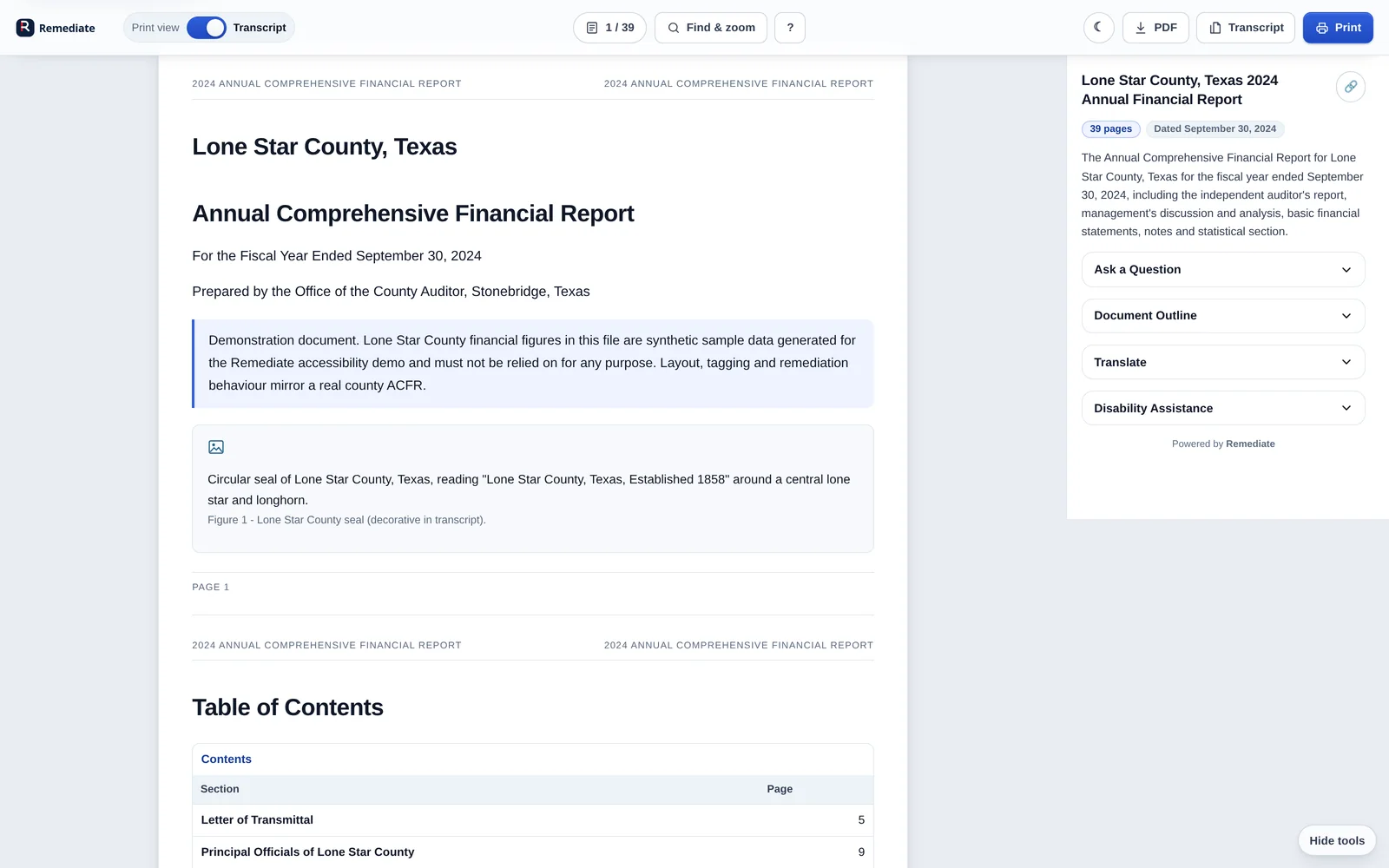
The transcript mirrors the report: headings, lists, tables, figures and page landmarks. Screen readers land where they expect, and the outline is real — not a list of guesses.
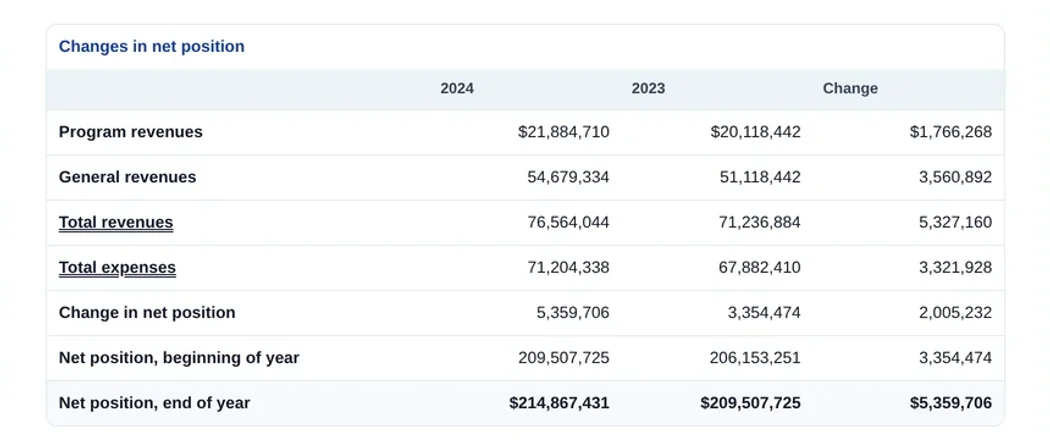
The whole transcript translates in place — including tables and headings. The original PDF stays in its source language, and a note says so.
Machine translation, reviewed by exception. Direction and language attributes are set for every passage.
Lexend for dyslexia-friendly reading, extra line spacing and high-contrast inversion. Applied to the transcript in one click.
Ask a question in plain language. Remediate answers from the document and shows the page and element it came from, so nobody has to take a machine's word for it.
Try it in the demoSearch the full transcript, jump to any page and control the layout without leaving the keyboard.
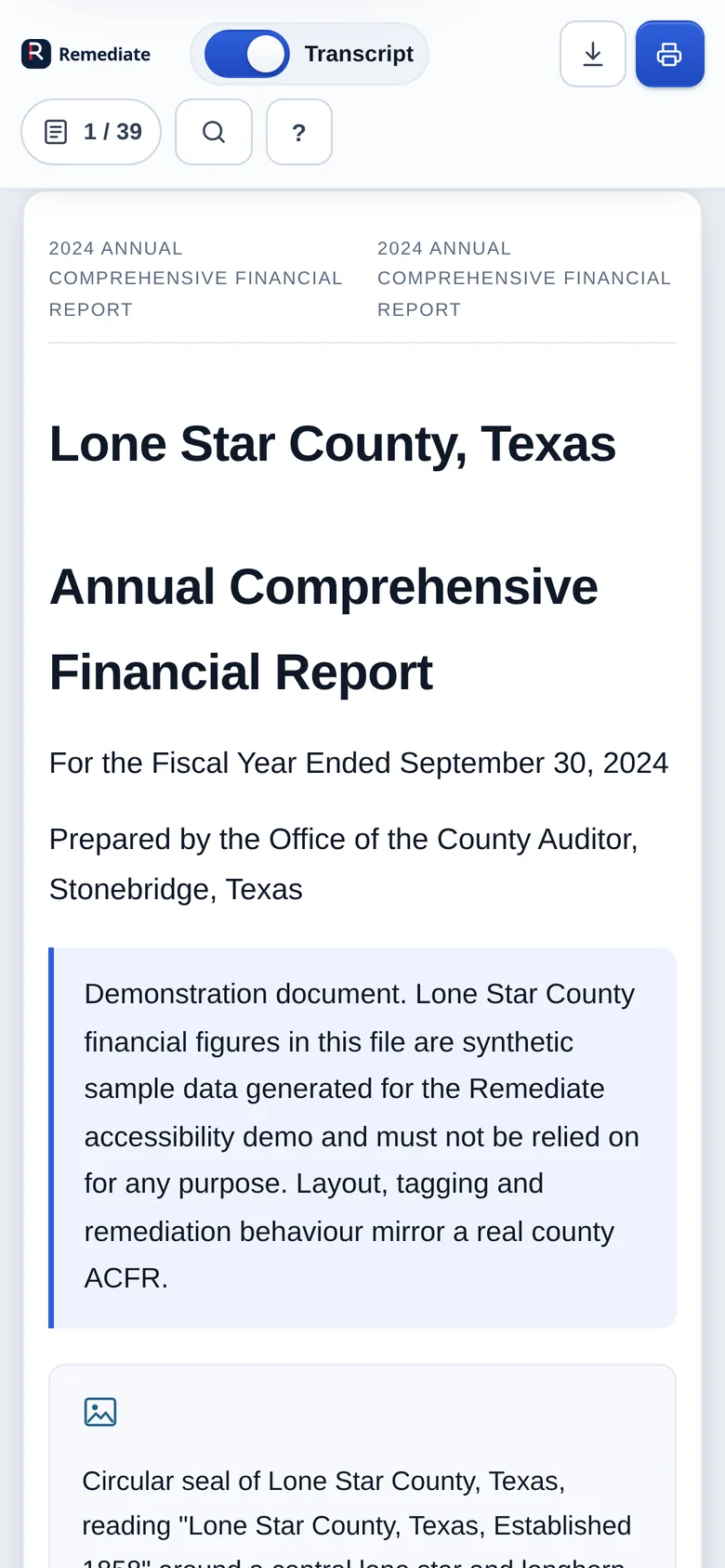
A two-row toolbar, readable type and a transcript that reflows — not a PDF shrunk to fit.
04 Standards
Remediate targets WCAG 2.1 AA and the ADA Title II document rule. The original PDF stays available, and every accessible feature is keyboard operable.
A semantic transcript, alt text for figures and captions for tables. Nothing relies on colour alone.
WCAG 1.1, 1.3, 1.4Every control is reachable by keyboard, with skip links, visible focus and document shortcuts.
WCAG 2.1, 2.4Consistent navigation, plain labels, page landmarks and an outline that matches the document.
WCAG 3.1, 3.2Landmarks, heading levels and live announcements that hold up across screen readers and browsers.
WCAG 4.1Dates from the DOJ final rule (28 CFR Part 35), as extended by the interim final rule published April 20, 2026. Documents published on a public website are part of that web content. Consult your counsel for your entity’s obligations.
05 Live demo
The demo is the actual product, running on four documents from a mock County Auditor site. Open a report, switch to the transcript, translate it, ask it a question. No signup, no video.
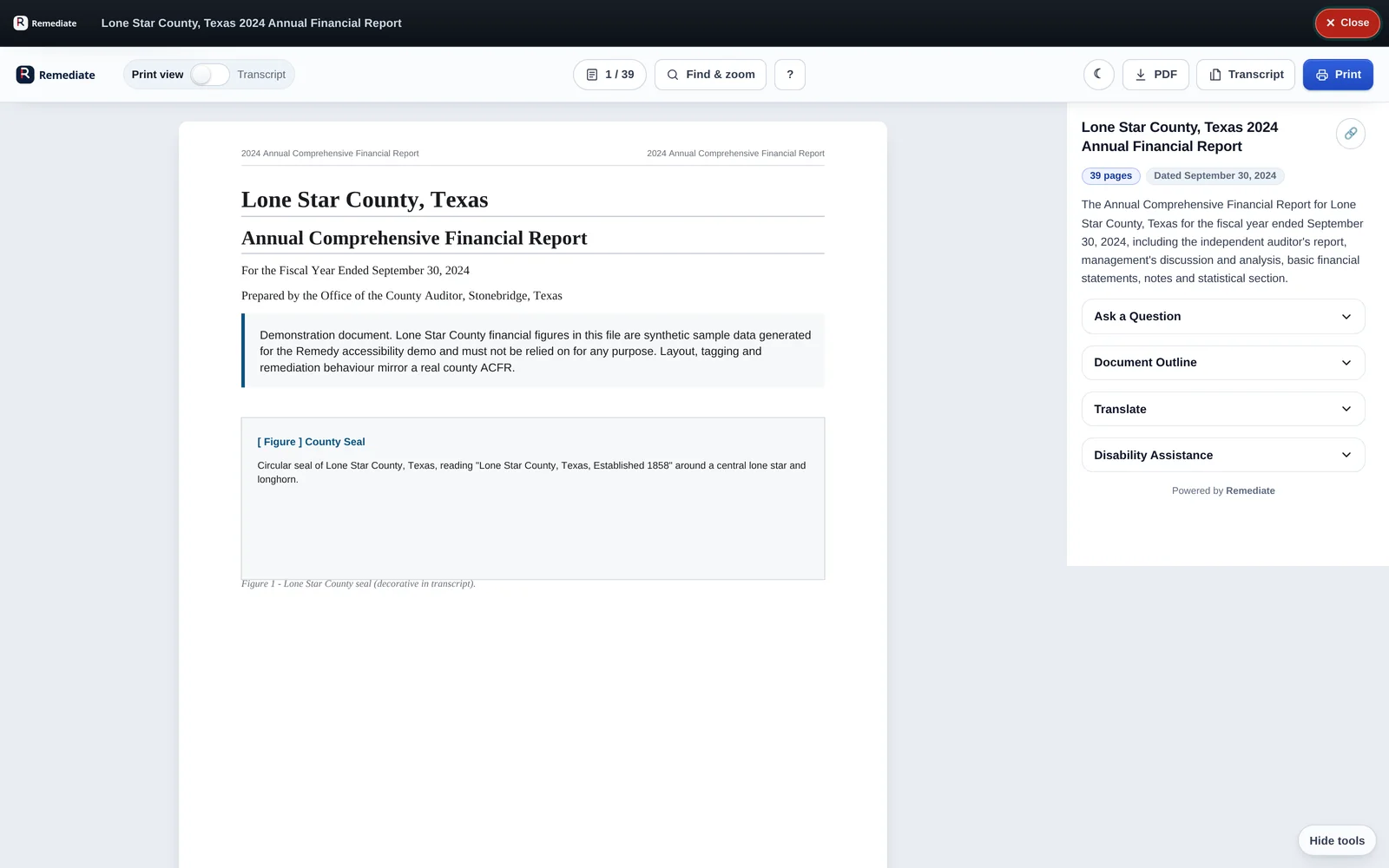
Synthetic financial data. Real viewer behaviour.
07 Guides
The deadlines, the standards and the review steps — written for the people who own public documents, not for search engines.
08 Questions
If your question is not here, the demo is the fastest way to answer it.
See it for yourself Four documents, every featurePDF remediation is the process of making an existing PDF readable by screen readers and other assistive technology: repairing tags and reading order, adding headings, table headers, alt text, form labels, language metadata and a text layer for scans. It changes the structure behind the page, not the visual design.
Public entities with a total population of 50,000 or more have an ADA Title II compliance date of April 26, 2027. Smaller public entities and special district governments have until April 26, 2028. DOJ extended both dates by one year in April 2026. The technical standard is WCAG 2.1 Level AA. Read the deadline guide.
Cost depends on whether documents are scanned, how many tables and forms they contain, the review required and the volume. One plan covers every document, page and seat, quoted with your team after a short conversation about your publishing programme. Talk to sales or read about cost drivers.
No. The original file remains the source of truth and stays downloadable. Remediate adds an accessible transcript and a reader alongside it, so the document looks and behaves the way people expect while becoming usable by assistive technology.
No. The transcript is generated from the published file and mapped to its structure. Reviewers spend their time on the exceptions automation cannot resolve — an ambiguous table header, a decorative figure, a scanned page — rather than rebuilding the archive by hand.
Scanned pages need text recognition before they can be read. The demo includes a document in that “transcript on request” state, so you can see how a county can ask for a transcript and have the accessible version appear without changing the published file.
That is the point. The viewer supports keyboard-only operation, visible focus, skip links, landmarks, live announcements and announced state changes. Its automated test suite checks those behaviours on every build, including hit-testing, scrolling and focus restoration.
Ten today: Spanish, Simplified Chinese, Tagalog, Vietnamese, Arabic, French, Korean, Russian, German and Haitian Creole. Translation is machine-generated and labelled as such, with proper lang and dir attributes; the original language always remains one click away.
The browser client is a single static script. Document processing runs as a service that produces the transcript, thumbnails and metadata. This build bundles both: npm start seeds the demo documents and serves the viewer, the site and the API on one port.
No. The Lone Star County site is a mock, and its financial figures are synthetic sample data, clearly labelled inside each document. The document structure, PDF rendering, transcript, translation and viewer behaviour are real.
09 Start here
Start with one report. See exactly what your readers would get.